Install Free
Store monitoring for Shopify

Catch store issues
before they cost you

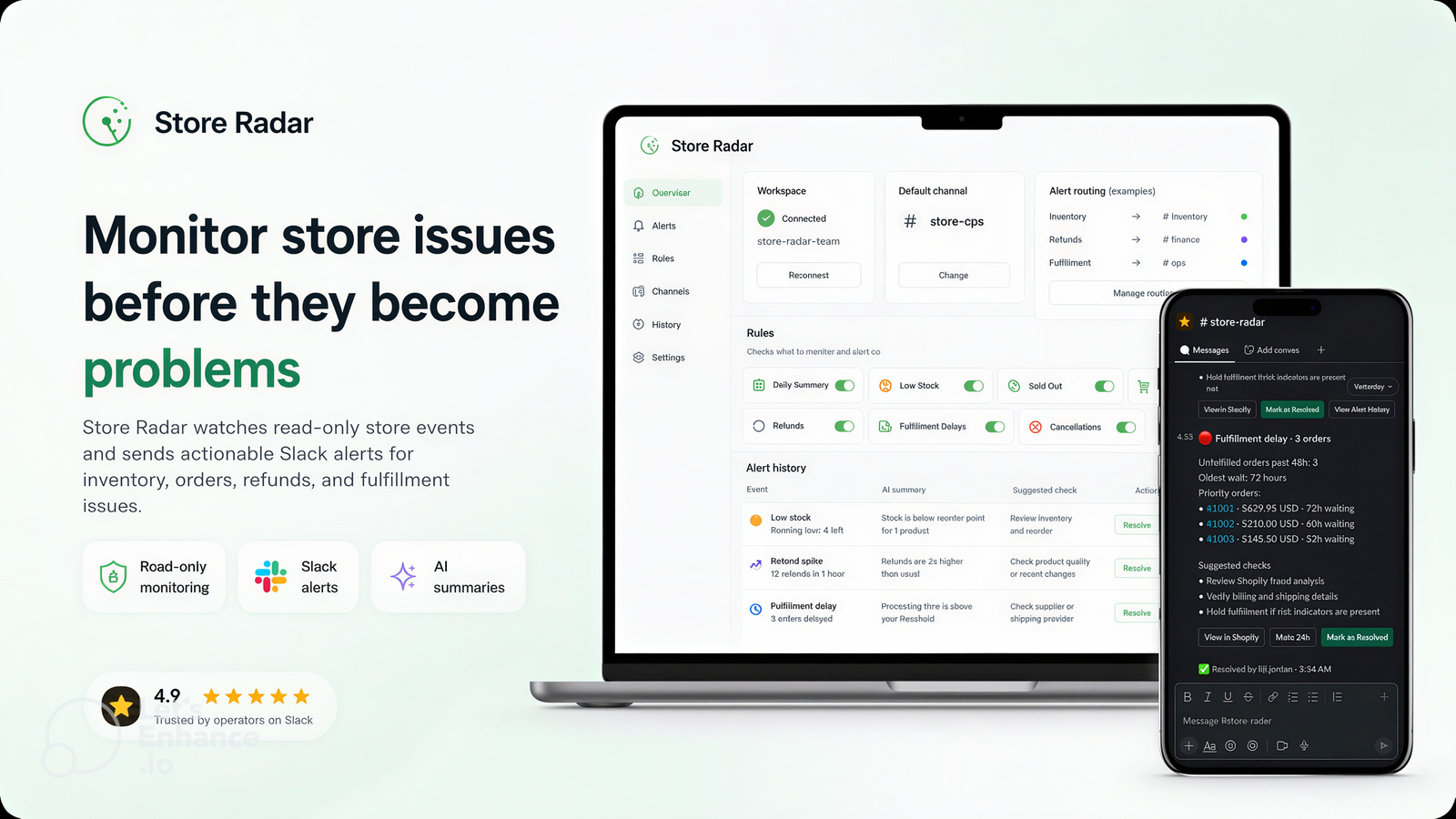
Store Radar watches your Shopify inventory, orders, refunds, and fulfillment, then posts actionable alerts and daily summaries to Slack — with AI summaries and suggested checks so your team can act sooner.
forum Slack alerts
visibility Read-only access
psychology AI summaries
Store Radar dashboard on laptop and phone showing Shopify alerts
Features

Know what changed, the moment it matters

Configurable rules, per-channel routing, AI context, and a searchable history — all delivered where your team already works.

notifications_active

Slack Alerts

Get notified about low stock, sold-out products, large orders, refunds, fulfillment delays, and cancellations — routed to the right channel.

tune

Alert Rules

Turn each alert type on or off, set thresholds, map alert types to channels, and pause noisy rules without losing your configuration.

history

Alert History & AI

Every alert is kept with an AI summary, suggested checks, and a resolve action so issues do not get lost in a busy channel.

summarize

Daily Summaries

A scheduled Slack digest covers sales, refunds, orders, and inventory so the whole team starts the day with the same picture.

How it works

From install to first alert in minutes

Step 1

Connect Slack

Install from the Shopify App Store and connect your Slack workspace, then pick a default channel.

Step 2

Configure rules

Enable the alerts you care about, set thresholds, and map alert types to the right Slack channels.

Step 3

Radar watches

Store Radar reads store events with read-only access and detects inventory, order, refund, and fulfillment risks.

Step 4

Act in Slack

Alerts and daily summaries land in Slack with AI context and suggested checks so the team can act sooner.
Inside the app

Built for fast configuration and follow-up

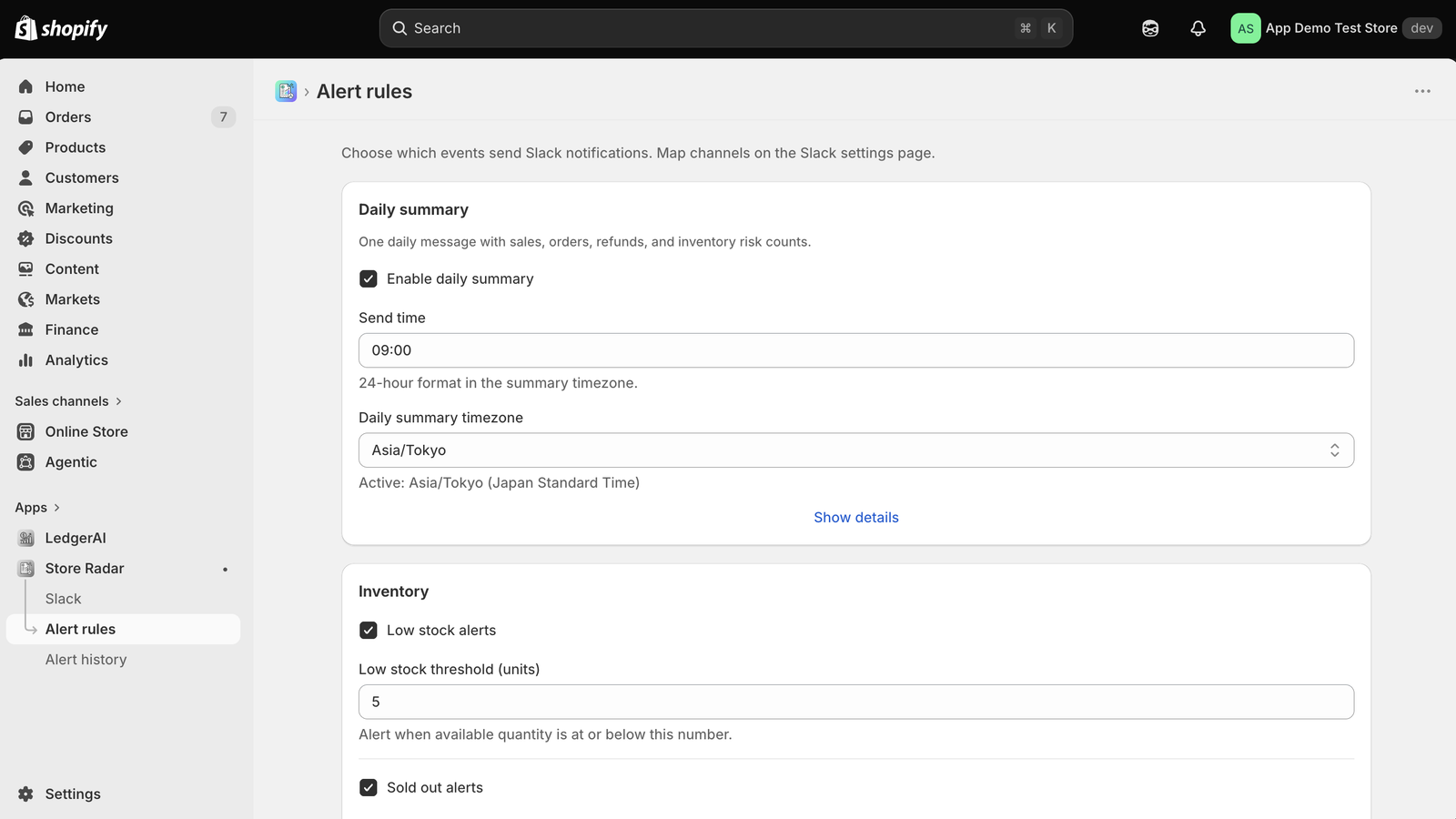
Store Radar alert rules page with inventory, order, and summary settings
Alert rules — toggle inventory, order, refund, and summary rules with thresholds.
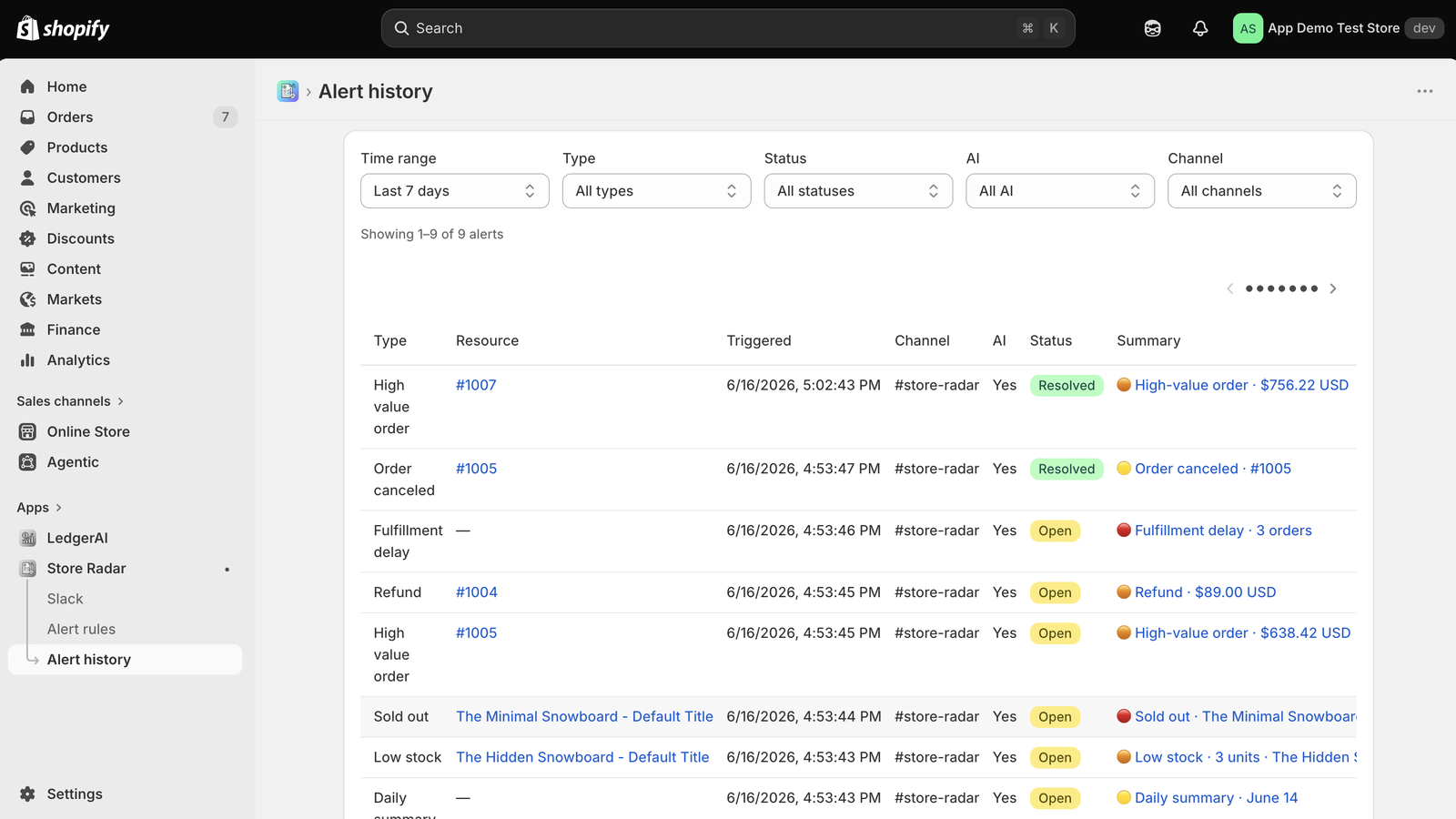
Store Radar alert history with AI summaries and suggested checks
Alert history — recent events with AI summaries, suggested checks, and resolve.
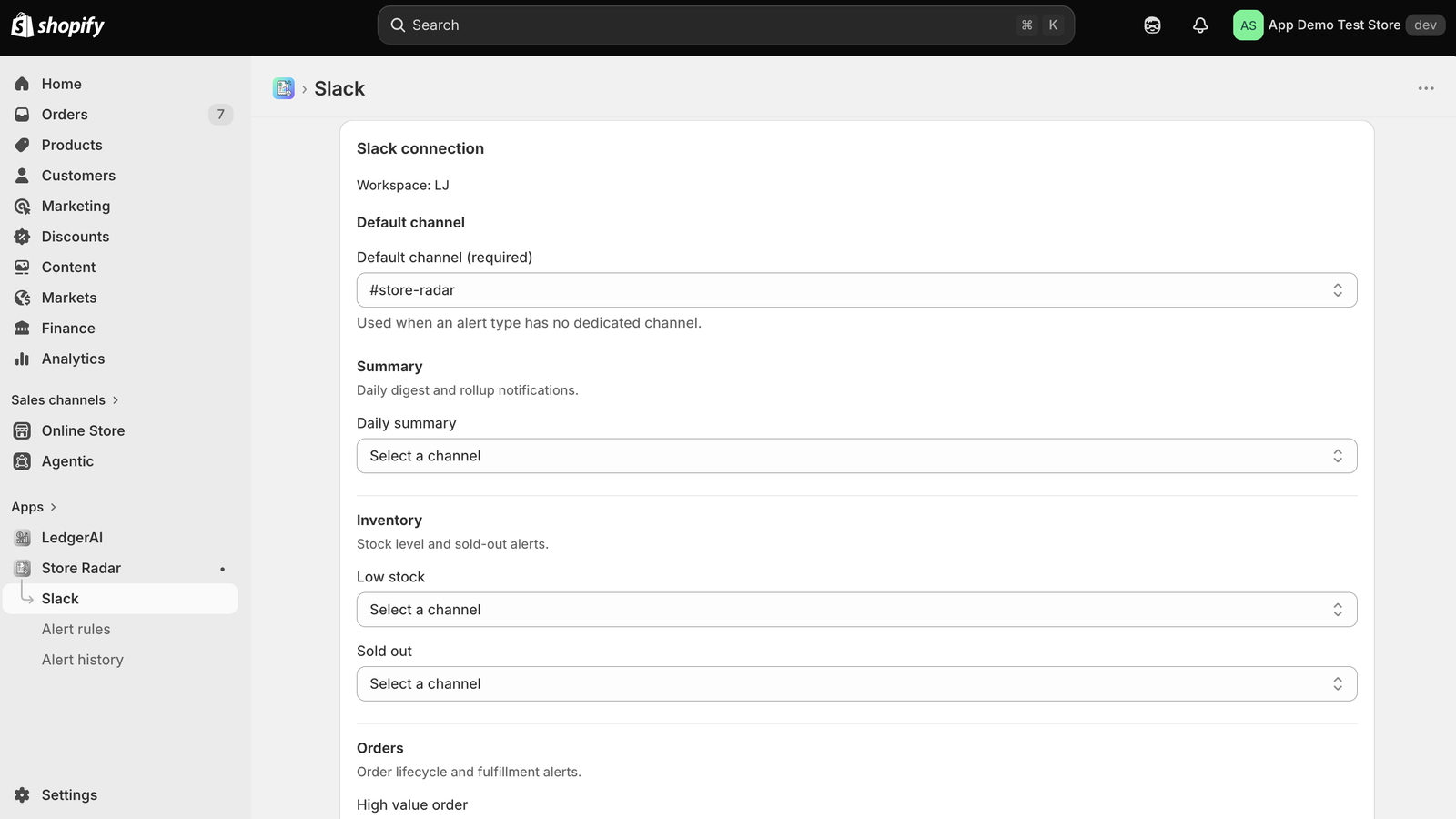
Store Radar Slack settings for default and per-alert channels
Slack settings — default channel plus per-alert channel routing.
Who it's for

Teams that cannot watch the Admin all day

inventory

Operations teams

Catch low stock, sold-out best sellers, and fulfillment delays before customers and revenue feel the impact.

storefront

Lean DTC brands

No dedicated monitoring team needed — get a daily summary and real-time alerts in the Slack you already use.

groups

Agencies & operators

Route different alert types to different channels so each client or team only sees what is relevant to them.

Pricing

Free to install and use

Free

$0
  • check_circleSlack alerts for inventory, orders, refunds, fulfillment
  • check_circleConfigurable rules, thresholds, and per-alert channels
  • check_circleAlert history with AI summaries and suggested checks
  • check_circleDaily Slack summaries
Install Free on Shopify
FAQ

Frequently asked questions

What is Store Radar?
A Shopify app that monitors read-only store events for inventory, order, refund, and fulfillment issues and posts actionable alerts and daily summaries to Slack.
What alerts can it send?
Daily summaries, low stock, sold-out products, large orders, refunds, fulfillment delays, and cancellations — each routed to a default or per-alert Slack channel.
Does it change my store data?
No. Store Radar uses read-only access to orders, products, and inventory. It observes and notifies; it never modifies your store.
How much does it cost?
Store Radar is free. Connect Slack, choose channels, enable the rules you want, and start receiving alerts and daily summaries.
Guides

Learn how to monitor your Shopify store

Practical guides on Slack alerts, low stock notifications, and refund and order anomaly monitoring.

Implementation guide

How to Get Slack Alerts for Shopify Orders and Inventory

Connect Slack, choose channels, and enable rules for low stock, large orders, refunds, and fulfillment.

Read guide arrow_forward
Operations guide

How to Set Up Low Stock Alerts in Shopify

Set thresholds by sales velocity and lead time, and notify the team before best sellers sell out.

Read guide arrow_forward
Operations guide

How to Monitor Shopify Refunds and Order Anomalies

Alert on refunds, large orders, and cancellations, and review a daily summary to catch trends early.

Read guide arrow_forward
Browse all Shopify guides arrow_forward

Stop refreshing the Admin.
Let Store Radar watch for you.

Free to install. Connect Slack and get your first alert today.

Install Free on Shopify arrow_forward